A macOS app built
for thumbnails
Create eye-catching thumbnails with AI background removal and rich text styling.
Get on App StoreOne-time purchase / macOS 14.0 or later
Create eye-catching thumbnails with AI background removal and rich text styling.
Get on App StoreOne-time purchase / macOS 14.0 or later
Pick a preset and your canvas is ready to go
Features tailored for thumbnail creation
Remove people or objects from a background with one click. Powered by Apple Vision for high accuracy.
Create eye-catching text with outlines, shadows, gradients, italics, and more.
182 built-in assets across animals, food, objects and marks. Pick one from the palette and it lands on your canvas.
Six styles: round, rectangular, thought, shout, fluffy cloud and inner voice. Drag to adjust the tail and the padding.
Smooth operation with Metal GPU acceleration. Export in under one second.
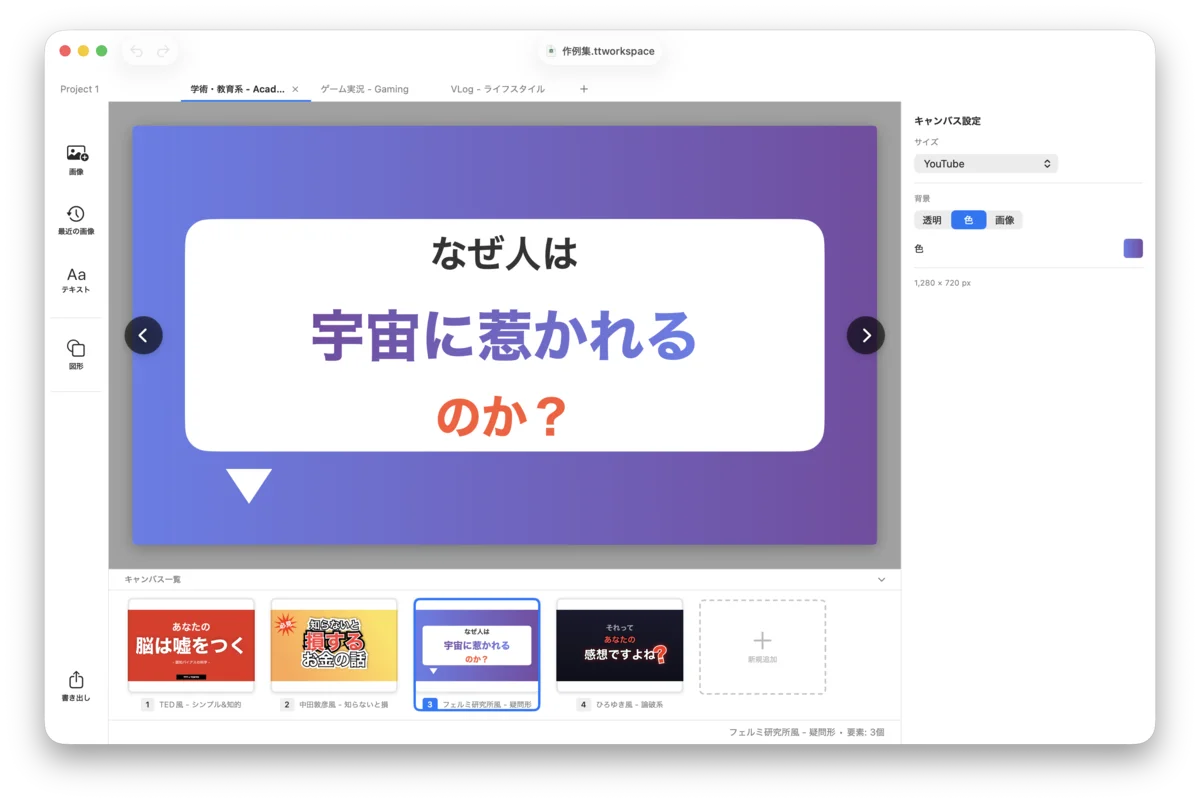
Manage multiple projects in tabs. Create variations with multiple canvases per project.
Pro-grade tools built in
HSB, eyedropper, and HEX input
Rectangle, circle, triangle, star, arrow, polygon
Add images directly to the canvas
Experiment freely
Transparent backgrounds supported
Double-click to crop quickly
Hide faces or sensitive areas, with adjustable block size
Automate thumbnail creation via the local HTTP API and tt-client
Turn on "Local HTTP API" in app preferences (off by default). When enabled, an HTTP server starts on localhost (port 18080).
The official CLI tool tt-client takes care of port discovery so you don't have to.
Create, edit, and export projects, canvases, and elements programmatically.
# Install via Homebrew
brew install jiikko/tap/tt-client# Check status
tt-client /status
# Save a preview of the current canvas
tt-client --current preview -o ./thumb.png
# Export as PNG
tt-client --current export -o ./output.pngtt-client /help or tt-client '/help?topic={topic}'.
Thumbnails created with ThumbnailThumb